
Remove Search Function for Logged in/out Users WordPress
23 July 2026
You can restrict search feature in WordPress for based on users type like Logged-in and Logged-out users control what they see or for all visitors as well.
There are 2 way to do this first you can disable search widget to be appear for logged-in users and other to disable search function for logged-out users in this way registered and non registered website users see different things.
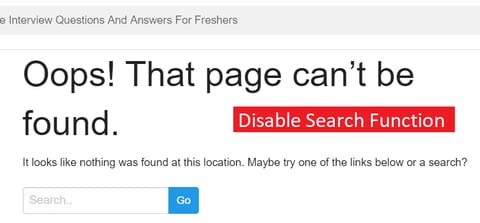
Hiding Search Bar for Register or non register users in WordPress
It's depend on what function your theme is calling most of them uses get_search_form to make condition for this. Open your file and place below code.
if ( is_user_logged_in() ) {
   get_search_form();
}
if you want to display something else to logged-out users
if ( is_user_logged_in() ) {
   get_search_form();
}
else {
   echo "Hello Users.";
}
Disabling Search Function
If you want to completely disable search function for logged out users that they can't ever search query URL like "/?s=" than use below code in your function.php file
if ( !is_user_logged_in() ) {
	function insertcart_filter_query( $query, $error = true ) {
		if ( is_search() ) {
		$query->is_search = false;
		$query->query_vars[s] = false;
		$query->query[s] = false;
		if ( $error == true )
		$query->is_404 = true;
		}
	}
add_action( 'parse_query', 'insertcart_filter_query' );
}
Remove Search widget for non website users
To remove search widgets use below function in function.php file
if ( !is_user_logged_in() ) {
add_filter( 'get_search_form', create_function( '$hidesrc', "return null;" ) );
function remove_search_widget() {
    unregister_widget('WP_Widget_Search');
}
add_action( 'widgets_init', 'remove_search_widget' );

 }
If you have any question please post in comment.