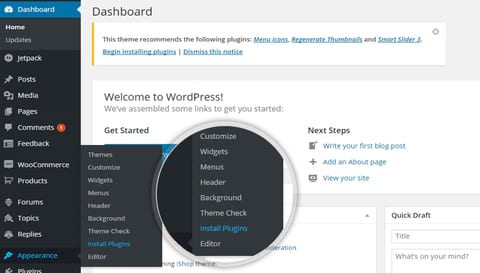
Whenever you activate our theme and it shows a notice for required or recommended plugin to install then you should install them because that help to enhance theme experience and increase capabilities.
Ask for install a pluginGo to Plugin Page
You need to click on Begin installation or Navigate to Appearance > Install Plugins
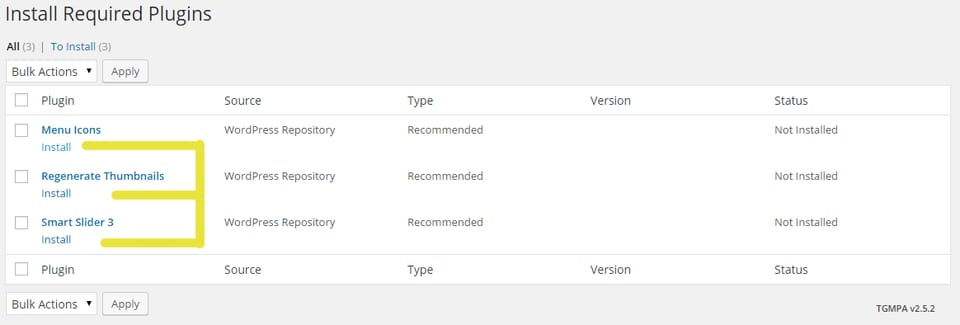
Install Plugins you need mostinstall Plugin
Now Click on plugin that require you most, after that you must need to activate them.